FX Toggle
Toggle FX and speed up your After Effects Comps

FX Toggle 1.0
FX Toggle was built to speed up your After Effects workflow.
Operating as a dockable Script UI panel, the tool scans either active comps or the entire project, allowing the user to mute FX globally or per layer. No more digging through nested comps to enable and disable render hogs!
By temporarily stripping comps of render heavy effects the user can focus on the craft of the animation itself. When you're ready to render simple re-able the effects.
Unlike some other solutions this is not only a global 'mute' for FX - it also allows the user to control the visibility of effects individually.
✅Works with all installed effects - Even third party ones.
✅Single purchase - own forever
✅Compatible with After Effects 2026.
✅Works on Windows 11 and Mac OSX.
Upon purchase the buyer receives a .JSX (The Script UI file) alongside simple install instructions.
Add code: HALFPRICE at checkout to get 50% off the listed price.
How to use FX Toggle
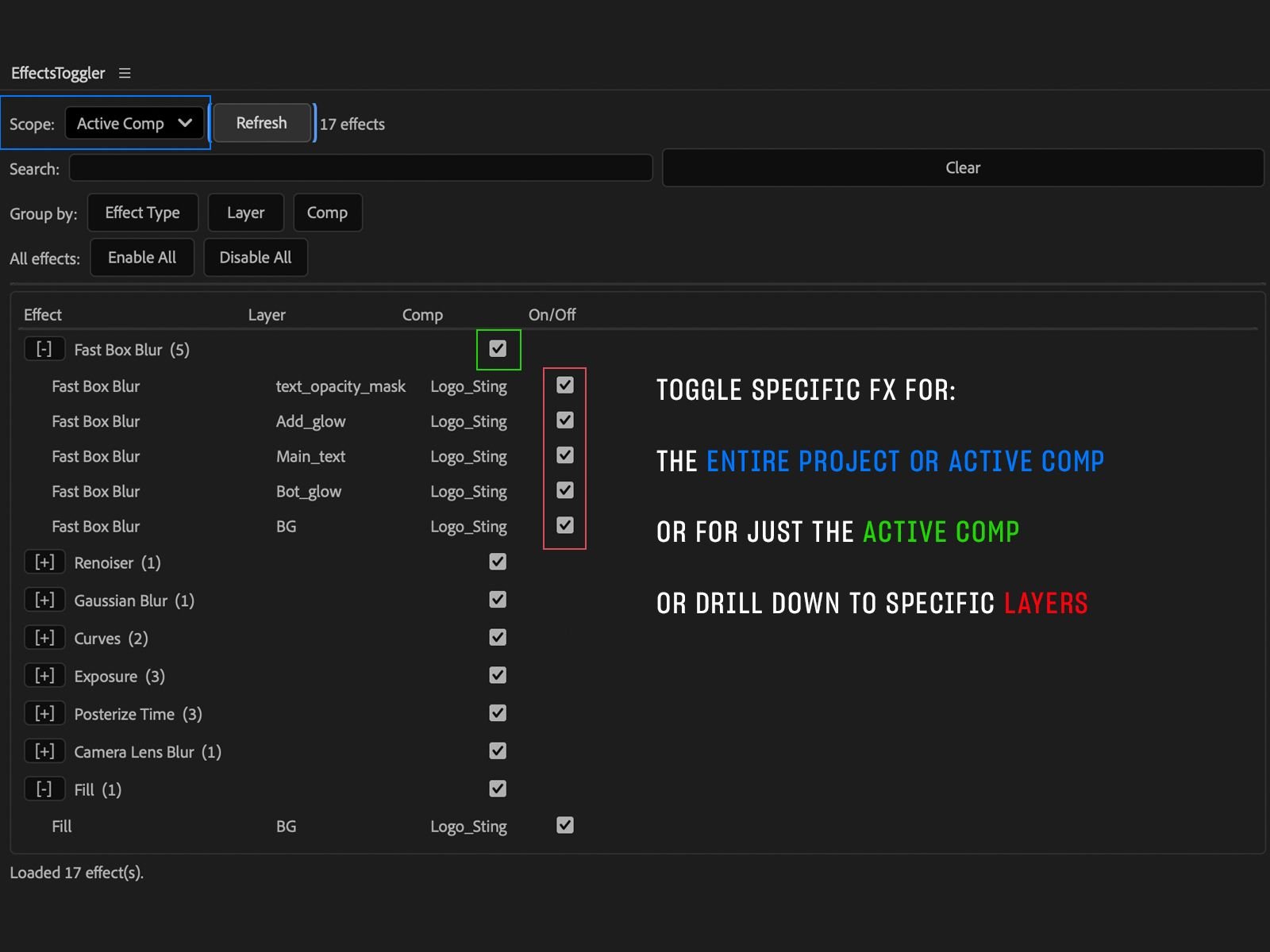
Once opened the operation is very simple.
First under 'Scope' select either 'Active Comp' or 'Entire Project'.
With an option selected now click 'Refresh'
The tool will scan the compositions and present a list of all effects used.
You can now either turn off the effect per comp or per layer giving you ultimate control and speeding up your projects.
How to Install
Upon purchasing FX Toggle you will receive a file 'FXToggle_1.0.JSX'
On Windows:
Simply copy the .JSX file to Program Files > Adobe > Adobe After Effects 2026 > Support Files > Scripts > ScriptUI Panels. Relaunch After Effects. The tool is now installed.
On Mac OSX:
Simply copy the .JSX file to Applications > Adobe After Effects 2026 > Scripts > ScriptUI Panels.
The tool is now installed.
To use the tool in both Windows and Mac OSX reopen After Effects, navigate to 'window' menu and scroll to the bottom. You will find 'FXToggle' which can now be used.